
Add Tumblr as a source
Add Tumblr as a source and collect posts to your Flows
In order to avoid duplicates in the system, we recommend only connecting a source to your Collection Flow, commonly named "Master Flow", and then distributing the posts to other Flows.
Once your Flowbox account is set up, you can add Tumblr as a source to your Flows by following these steps:
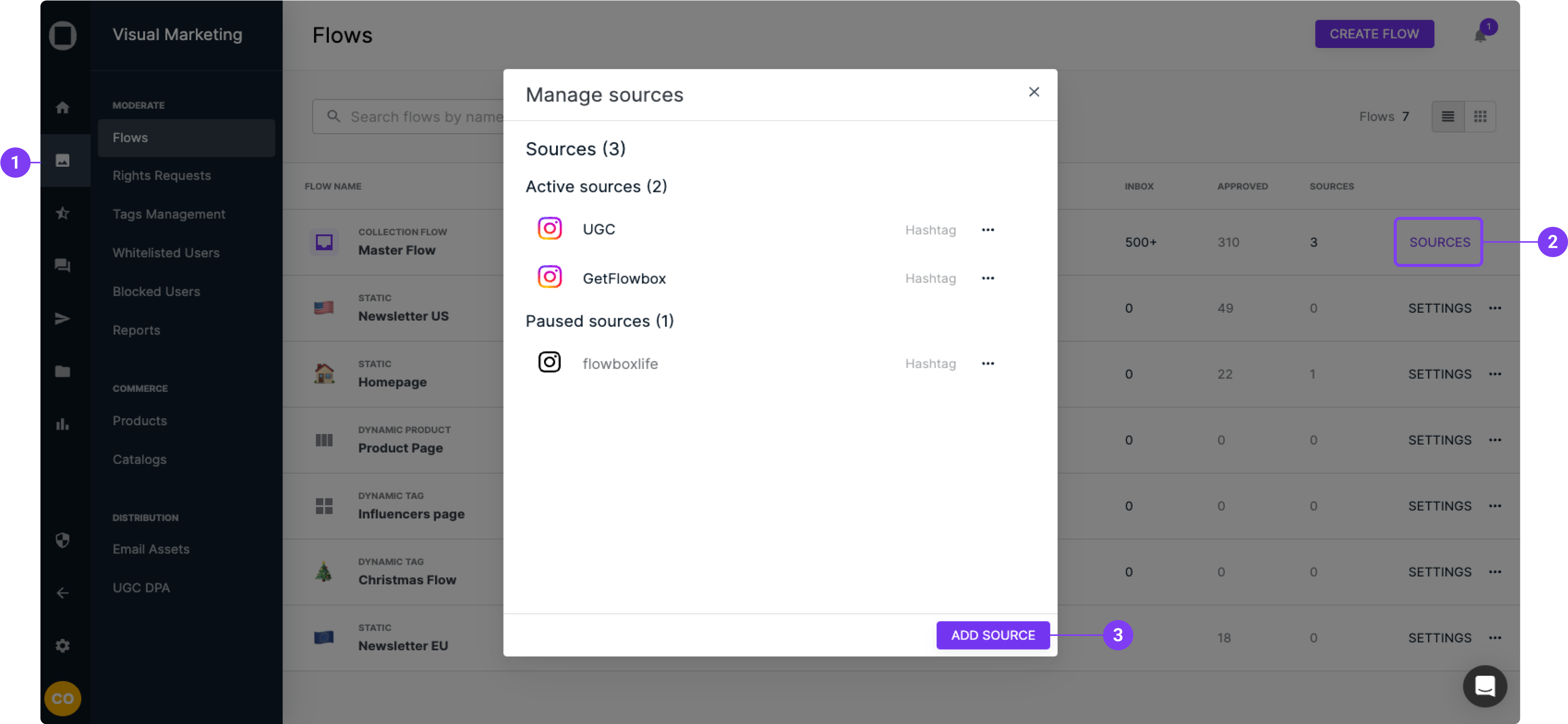
- Go to 'Visual Marketing' > 'Flows'.
- Click on ‘Sources’ directly from the Flows page or use the top-right button within your Collection Flow.
- Apopup box will open.
- Click on "Add Source".
- Select "Tumblr" and your source type:
- 'Username' will collect your own content from your Tumblr profile.
- 'Hashtag' will collect content that include a specified hashtag.
Important: Do not include the actual hashtag, '#Flowbox', just write 'Flowbox' in the box.
- Optional: Toggle on 'Require approval' to collect directly on the "Approved" tab all the content from this source.
- Click "Add".
From now on, all new Tumblr content will appear in the Inbox of this Collection Flow and can easily be approved and used for your Flows.