
Media uploader: Let your customers share their content
The Media Uploader lets users submit their content straight through your Flows. It’s a powerful way to collect authentic UGC while automatically handling rights requests - no public posts required.
The Media Uploader is a premium feature. To activate it, please contact your Customer Success Manager.
How to Enable the Media Uploader on a Flow
You can add the Media Uploader to any Static or Dynamic Flow:
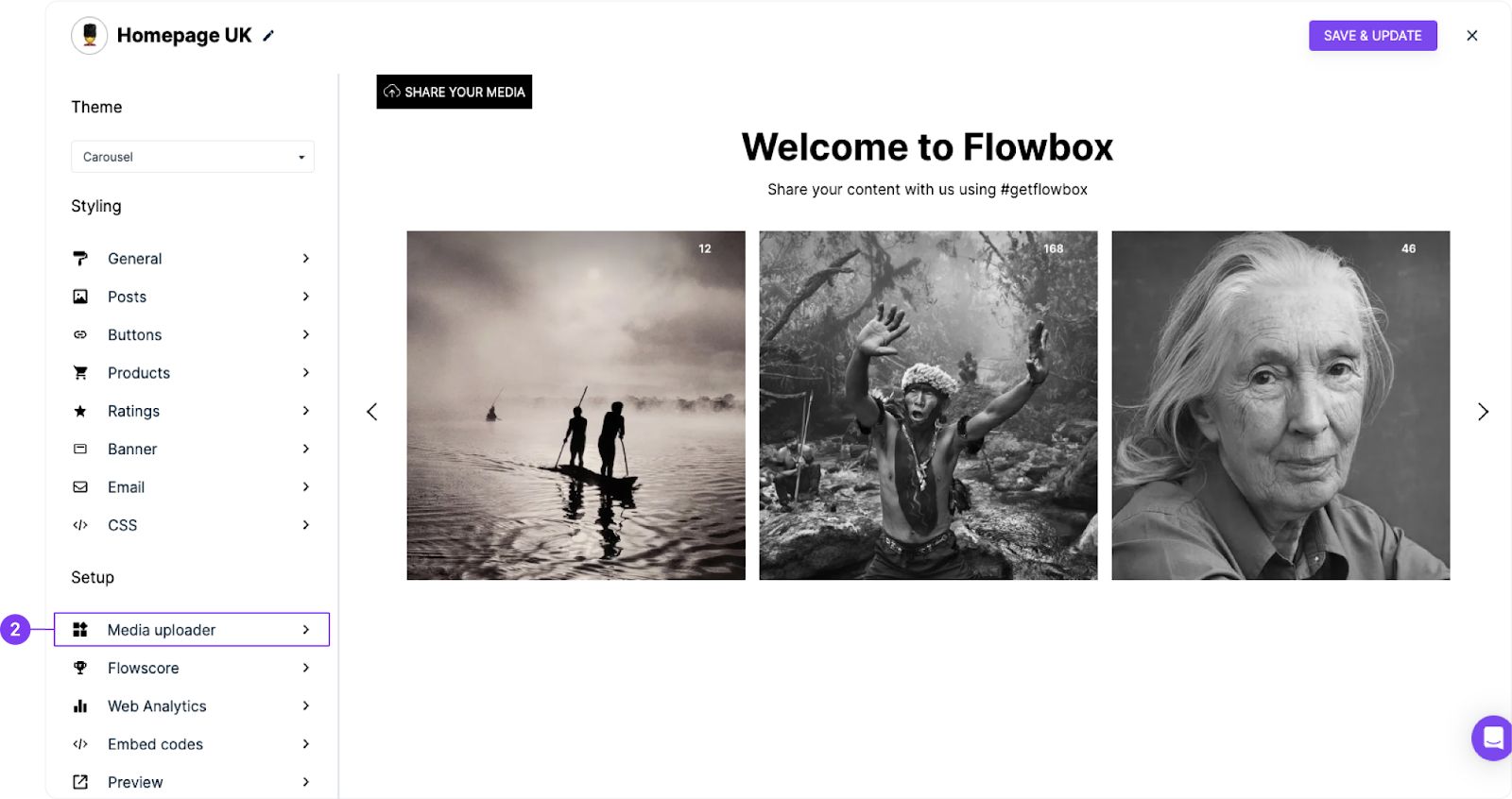
- Log in to Flowbox and go to your Flow settings.
- In the left-hand menu, under the Setup section, click on Media Uploader.
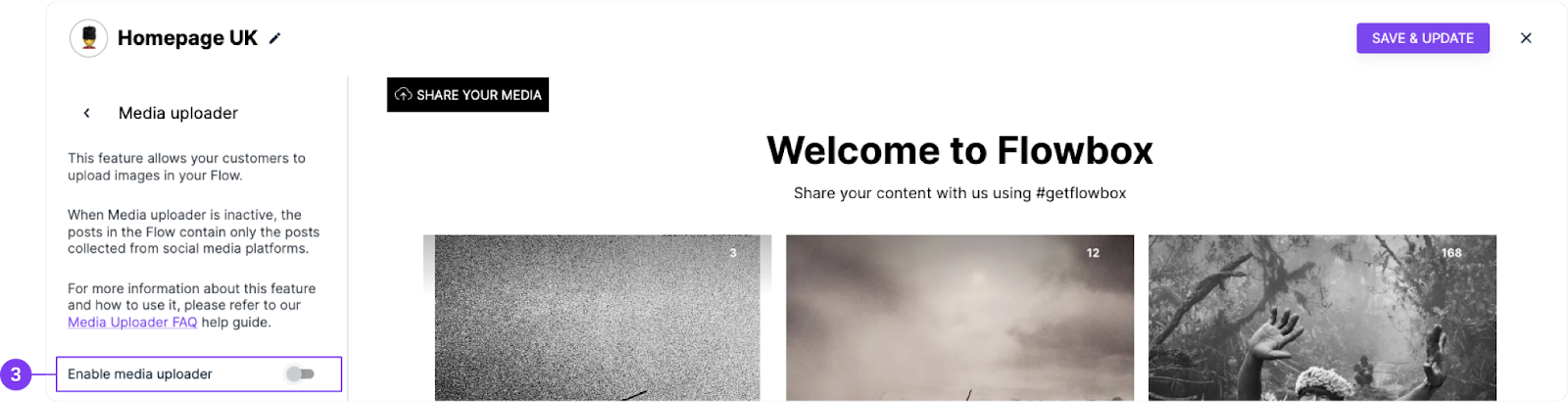
- Toggle “Enable Media Uploader”.
That’s it! The uploader button will now appear in your Flow, allowing users to upload their content directly to you.
🌍 The uploader supports multiple languages to automatically adapt based on your visitor’s location. You’ll find the full list of supported languages at the end of this article.
Customize Your Media Uploader
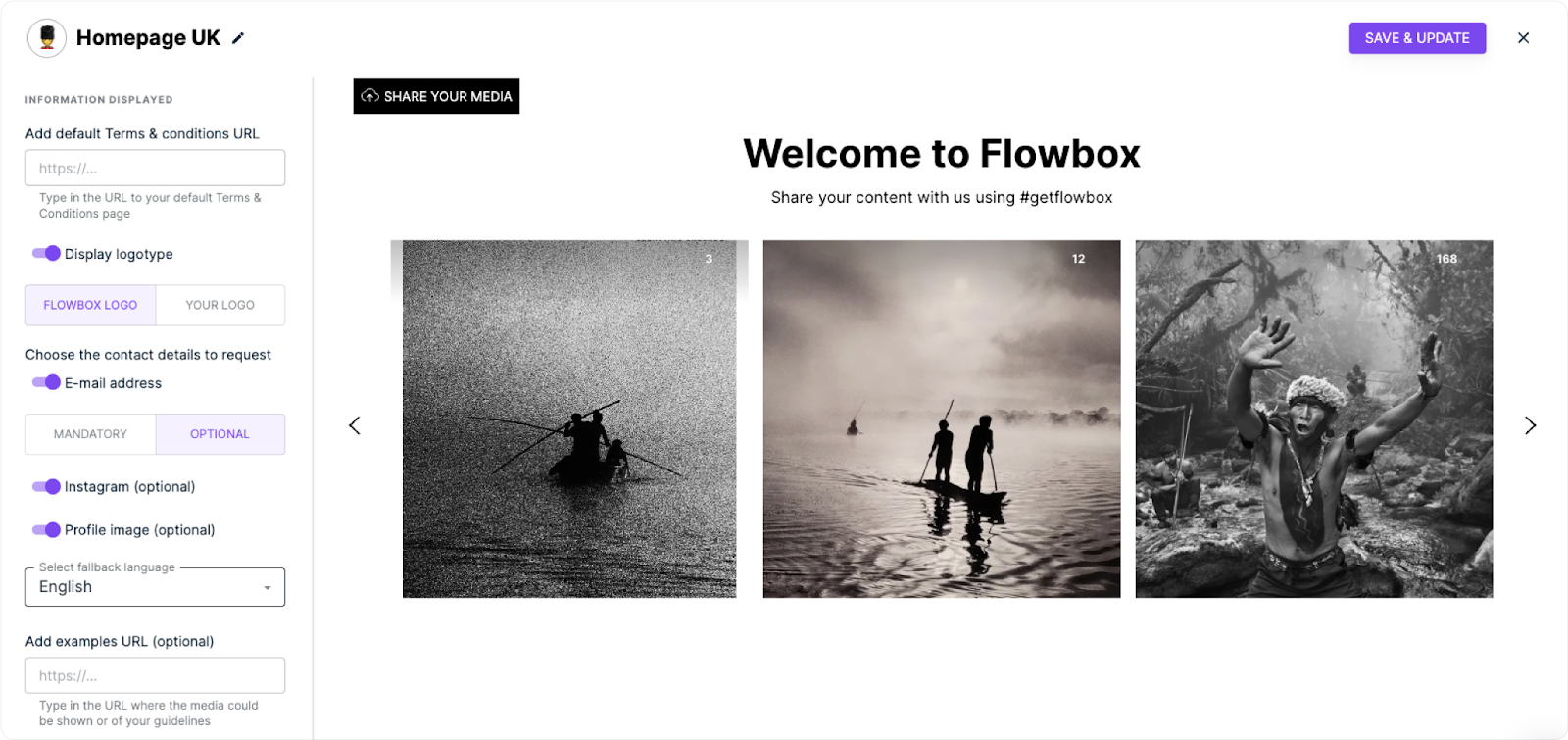
Tailor the uploader to match your brand and campaign goals. In the Media Uploader settings, you can:
- Style the upload button: Choose color, alignment, text, and more.
- Add Terms & Conditions: Visitors must agree before submitting content.
- Display your logo: Choose to show your brand or leave it blank.
- Collect user info: Email, profile picture, Instagram profile (optional).
- Set a fallback language: Used when a visitor’s local language isn’t supported.
- Add an example post: Show visitors what kind of content you’re looking for.
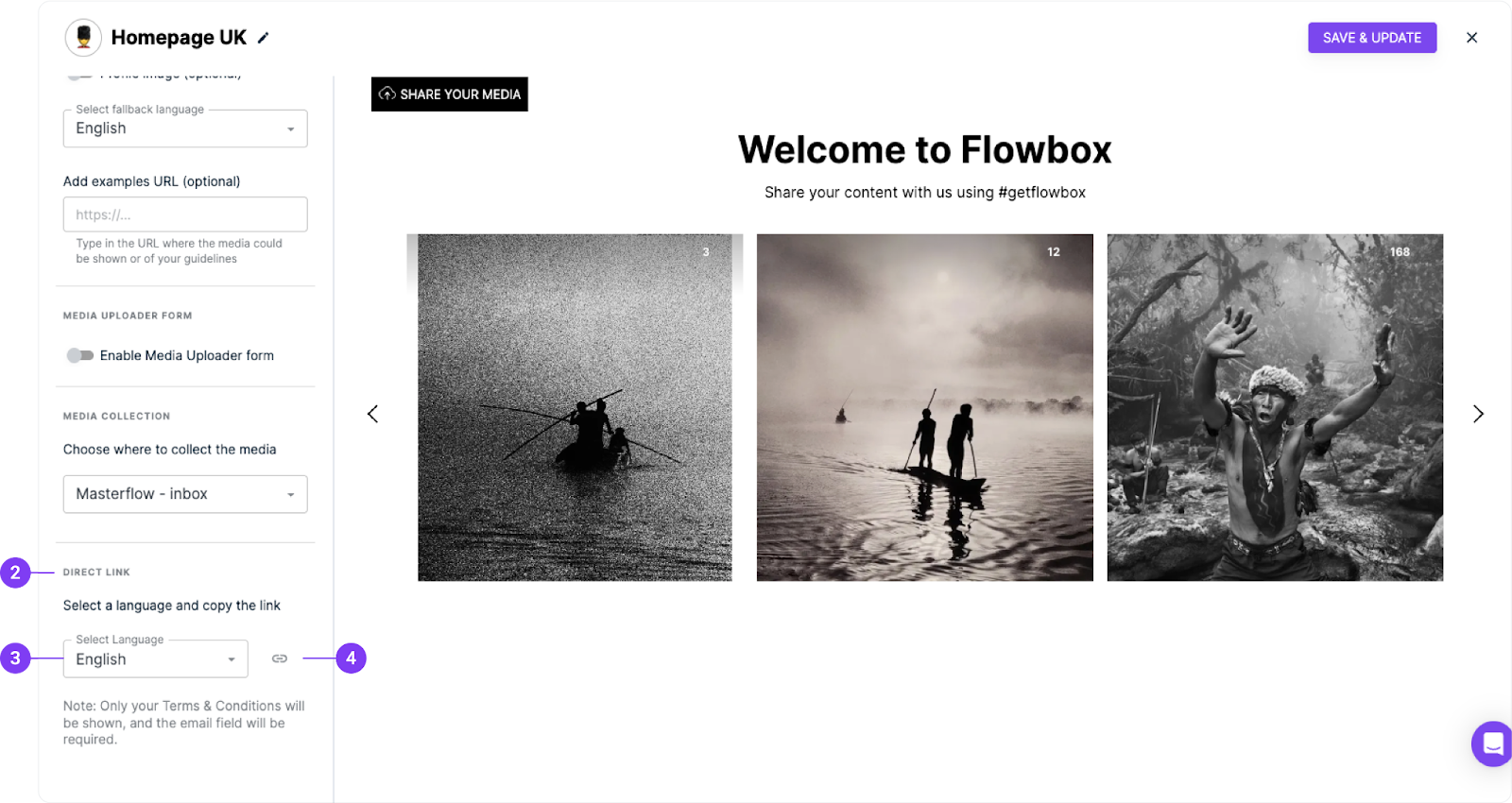
- Assign a destination Flow: Choose where submitted media is collected. We suggest sending uploads to one of your MasterFlows (Inbox) for easier moderation.
When editing your media uploader, make sure to hit the "Save & update" button to see the changes you are applying.
Share the Media Uploader via Link
Want to collect content outside your website? Use the Direct Link feature:
- In your Flow settings, scroll to the bottom of the left-hand menu.
- Find the Direct Link section.
- Choose the display language.
- Click the chain icon to copy the link.
You can now share it via:
- Messaging platforms
- Email campaigns
- Social media
- QR codes displayed in-store or at events
Supported languages
Language | Code |
|---|---|
Catalan | ca |
Danish | da |
English | en |
Finnish | fi |
French | fr |
German | de |
Italian | it |
Dutch | nl |
Polish | pl |
Portuguese | pt |
Russian | ru |
Spanish | es |
Swedish | sv |
Turkish | tr |
Learn more on how to upload media via devices or Dropbox here.
Interested in getting more information about your visitors?
Learn about Flowbox forms here.