How to Enable Sending User Verification Emails?
Login to your Flowbox Account.
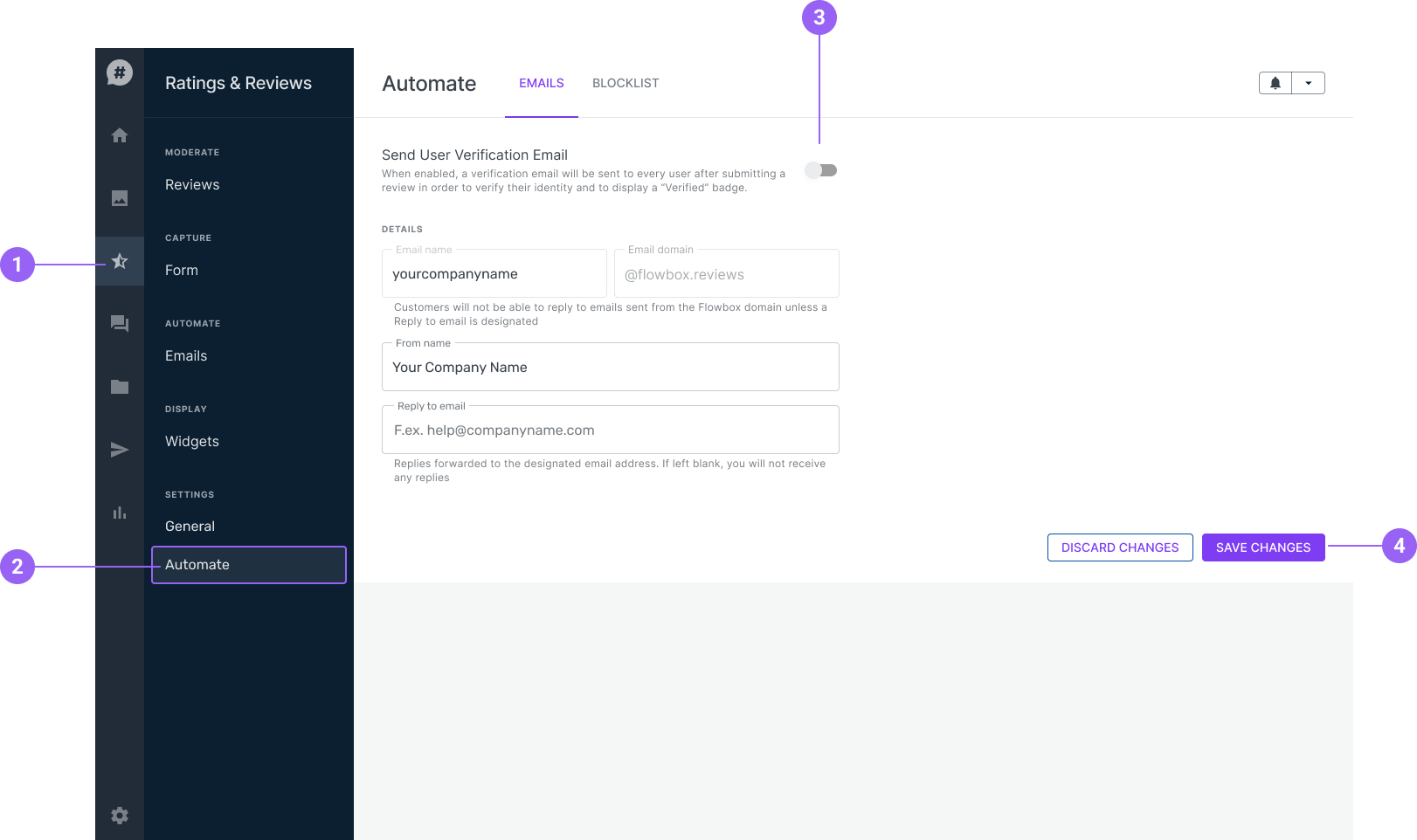
STEP 1: Go to 'Ratings & Reviews'.
STEP 2: Click 'Automate' under settings.
STEP 3: Enable " Send User Verification Email"
STEP 4: Click "Save Changes".

Login to your Flowbox Account.
STEP 1: Go to 'Ratings & Reviews'.
STEP 2: Click 'Automate' under settings.
STEP 3: Enable " Send User Verification Email"
STEP 4: Click "Save Changes".