
Custom Video Flow
Get inspired with shoppable Custom Video Flows
Flowbox supports both image and video posts, and we love to see clients use a mix of both. It's easy to create a Custom Video Flow, where you can upload video content, add tags and products, and distribute online.
Inspiration - Custom Video Flow
We love this example from Sneakers Point, where an effective Custom Video Post is used on a campaign page.

How to create a Custom Video Flow
- Create a new Flow for your Custom Video content.
- When in the Flow, click on 'Create Post' in the top-right corner.
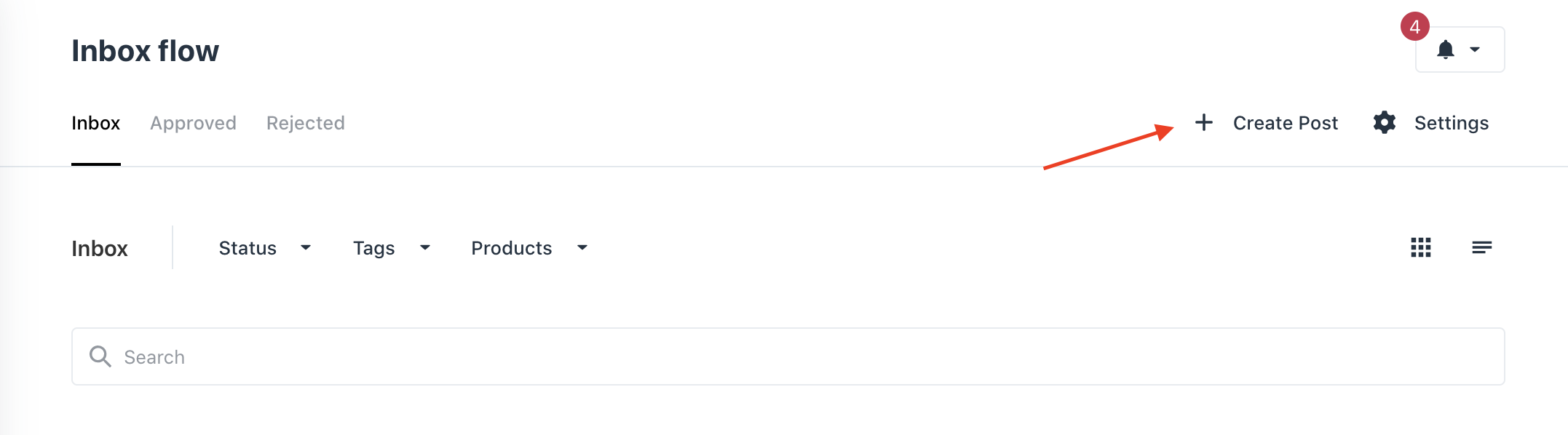
- A new box will pop up. Give the post a username, or anything that you want to be visible instead of a username. NOTE: you cannot go back and edit this username.
- Write a post caption.
- Add an URL to an image to create a Profile Picture. NOTE: you cannot go back and edit this image.
- Click on 'Choose Media' to open Library.
- Select the video that you want, or upload a new one, and click on 'Insert'.

The maximum upload size for a video file in Flowbox is 100 MiB = 104,9 MB.
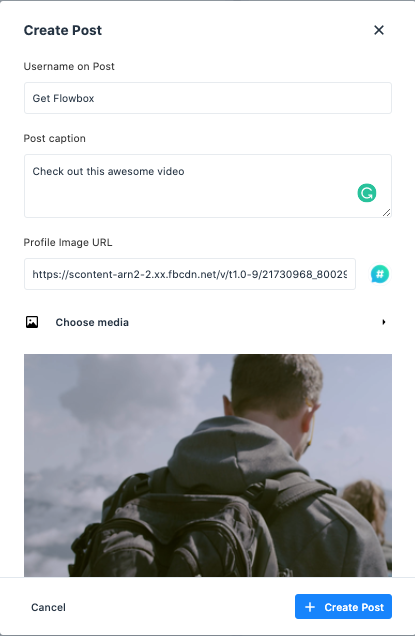
- Click on 'Create Post'.
- You can now tag products shown in this video,
- Approve this Custom Video post in your Flow.
- Embed your Custom Video Flow on your website.
- Remember to track the results in our Insights tool!