
Create a shoppable Custom Flow
Get inspired with some shoppable Custom Flows examples
Flowbox lets you easily create a Custom Flow, where you can upload your own images and video content, add tags and products, and distribute it online.
Inspiration - Custom Flows
We love these examples from some Flowbox clients.
Tingstad - has used a large Flow filled with Custom Posts to highlight their different product categories on the homepage.
Verbaudet - used custom CSS to create a stunning Advent Calendar.
Boob - the maternity clothing company has incorporated customer reviews in Custom Posts and displayed the Flow on their homepage.
How to create a Flow with custom posts
- Create a new Flow for your Custom content.
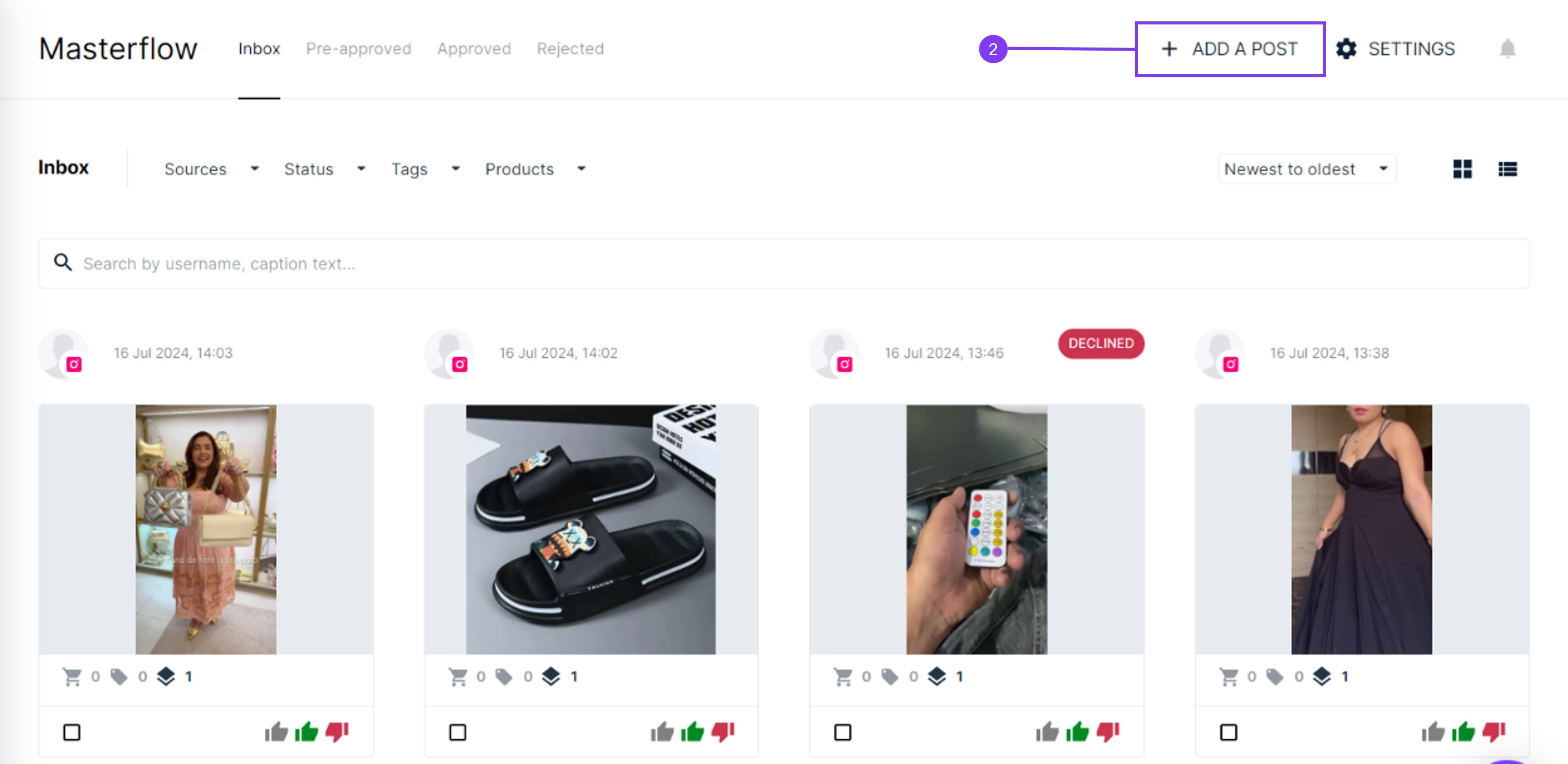
- While in a Flow, click on Add Post in the top-right corner.
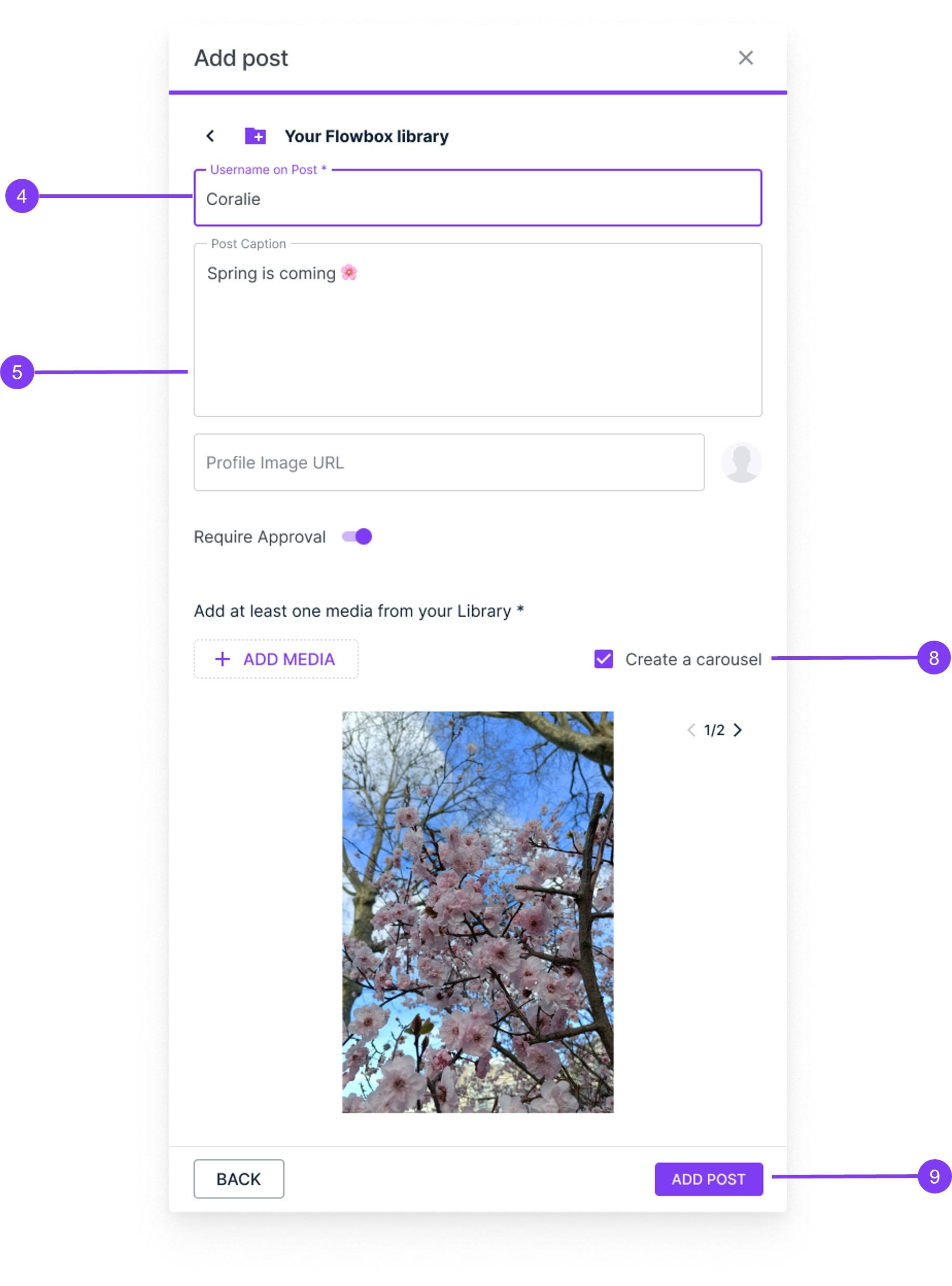
- In the box that pops up, choose Your Flowbox Library.
- Enter a username or any name you want to display instead of a username.
- Optionally, add a caption and an URL for a profile picture. Note that you won’t be able to edit these later.
- Click on Add Media to open your library.
- Select up to 10 items and click Insert in the lower-right corner.
- If you selected multiple items, decide if you want to create a carousel or multiple posts. Remember, all posts will have the same username, caption, and profile picture.
- Click on Add Post
How to moderate content from your Flow
Now that you already have a Flow with custom posts in it, you can start moderating your content.
- You can now tag products,
- Approve this Custom Post in your Flow.
- Embed your Custom Flow on your website.
- And, finally, track the results in Website Analytics!